Marketing Analytics Consultant | Nathaniel Page

MARKETING

Google Analytics vs WebTrends
MARKETING

Google Analytics vs WebTrends

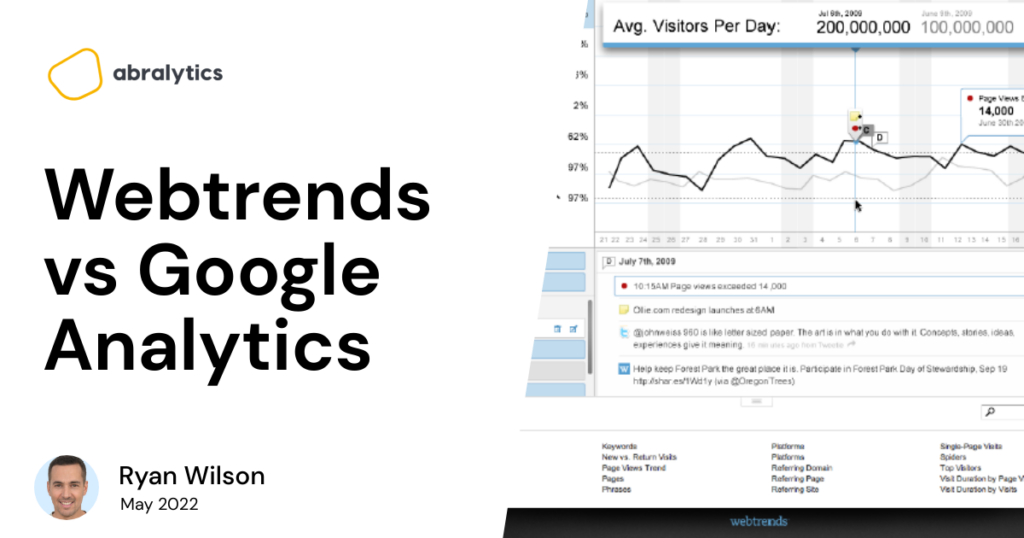
Google Analytics has been around for quite a while. It has been helping clients analyze websites and improve their usability since 2005. There are, however, analytics tool alternatives out there that offer similar features. These competitors could be more appealing to small businesses. Take Webtrends, for example. Their software has helped numerous businesses analyze their web traffic since its conception in 1993. In this article, we will show an in-depth comparison of Google Analytics vs. WebTrends to help you decide which platform would best suit your business development. We’ll cover the most important aspects you might be asking yourself as a business owner, such as: How are these analytics platforms currently faring in the market? What are the key features of Google Analytics and Webtrends? Do these platforms offer any support to their users? What are the limitations I need to be aware of? What is the basic pricing structure of Google Analytics and Webtrends? We’ll also identify a third, viable option called Abralytics, and see how it matches these two analytics platforms. A quick look at Google Analytics and Webtrends Google Analytics offers an analysis of website traffic, but its tools have different uses. Google is the market leader for Web analytics and is particularly attractive to smaller businesses. Although most users of Google Analytics will only ever need the free version for their web analytics, some companies require the capability offered by the paid version, Analytics 360. On the other hand, Webtrends is a beneficial tool for online businesses such as e-commerce websites and marketers. They focus on delivering data analytics for SharePoint and various Web apps either as a SAAS or on-premises product. Usage trends Source: Pexels ‍ Google Analytics has become increasingly popular in recent years. One study suggests that they enjoy approximately 86% market share in writing. ‍ Webtrends growth compared with Google Analytics has risen since August 2018. However, this growth hasn’t translated into much gain as far as market share is concerned. Research suggests as little as 0.1% market share. Capabilities Google Analytics and the Webtrends Analytics software have attractive capabilities, but they are not exclusive, depending on the user’s needs. Have a look at the different platform’s noteworthy features. Google Analytics’ most appealing features The most valuable feature Google Analytics provides is its easy use and versatile free software application. For most users, the free version of Google Analytics will be sufficient and provide the insights and feedback needed by the user. The paid version of Google Analytics is Analytics 360, and businesses that need more sophisticated analytics tools can utilize this. Analytics 360 software allows integration with various software. Google provides training courses to teach users how to use GA 360. Webtrends most appealing features Webtrends is very focused on its target market. There is no limit to data collection with their interface. Webtrends allow companies to collect data on a large scale. It can track visitors’ behaviors across various platforms such as social media, websites, and mobile apps. This feature is significant for any business trying to gain new customers. Reports based on these traffic sources help customers gain insights that are very useful when boosting a site’s performance. New businesses are focused on expansion and growth and don’t want their reports to be stifled by a cap on data analytics. For them, Webtrends unlimited data collection might be more appealing. ‍ Source: Pexels.com ‍ There are also many customization options available on the Webtrends dashboard. You can integrate many different metrics into reports. What kind of support can I expect? One drawback of using the free version of Google Analytics is virtually no support. However, clients willing to purchase Google Analytics 360 and vendors can expect technical support via e-mail, a call center, and training. Webtrends offers support in the form of a support portal that allows you to log and track queries with their support team. They also make training videos, webinars, and tutorials available for free to help users. Limitations Let’s now discuss some of the limitations of using Webtrends and Google Analytics. Free versions of Google Analytics show user data only retrieved from Google. Therefore, it is impossible to see everything the Google Analytics site collects, but it allows users to view data to determine the outcome of a particular decision. Google Analytics limits data export to 5000 rows. When clients are required to export information, they must split it up into several parts. Aside from no support for a mobile or internet site, Google will need users to be resourceful in solving problems by themselves or in collaboration. There are also some limitations to consider with Webtrends, but the learning curve is steep. Although their support through videos and tutorials is high quality, users might struggle to understand all the software’s features fully. Another potential issue is the pricing structure. As we’ll discuss in just a bit, Webtrends does not provide a free trial. This issue has limited their audience to companies willing to pay for their services. (P.s You might be interested to read our in-depth guide to the pros and cons of Google Analytics in general) Pricing Google Analytics is free, but user resources are sampled, and the export limit is capped. The paid version, or Google Analytics 360, will appeal to large companies, and the pricing differs depending on which tier you choose. The higher the level, the more access to features you have. ‍ However, these features come at a price. Annually, Analytics 360 will set you back northwards of $ 150 000. This price increases if you surpass 500 million hits per month. ‍ Source: Pexels.com ‍ Webtrends doesn’t offer a free trial or free version for their analytics tool. Instead, they try to base their pricing on the specific needs of each company. They need to be contacted directly for pricing solutions. Still looking for the Analytics platform of your dreams? Source: Abralytics.com ‍ Analytics 360 and Webtrends analytics tools have numerous advantages and disadvantages. Any business with

Hotjar vs Google Analytics
MARKETING

Hotjar vs Google Analytics

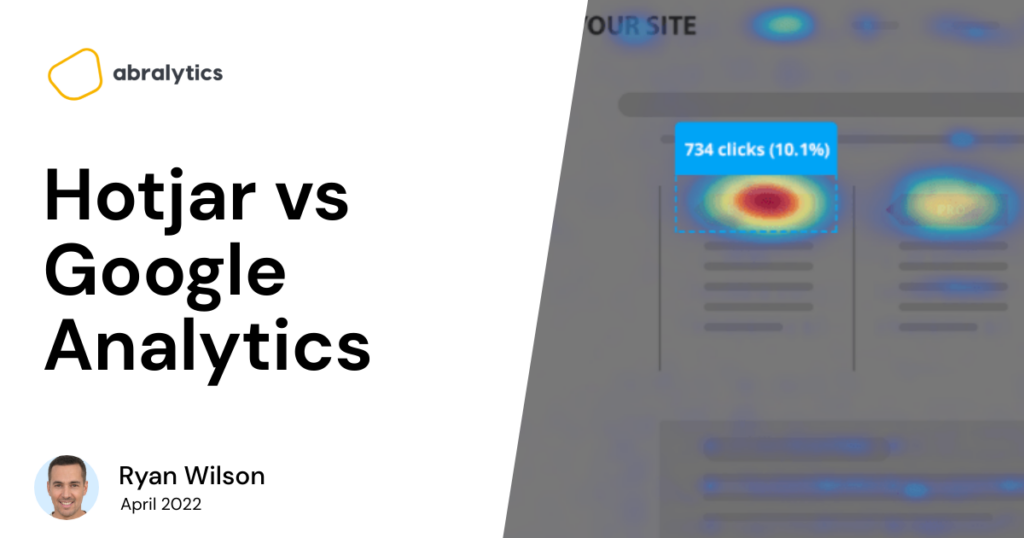
Choosing an analytics software for your marketing efforts can be an uphill battle, let’s be honest. You might be stuck between choosing a tool that will give you either: Heat maps or Analytics Video recordings or path exploration, etc Or you might simply want to know which tool has more powerful analytics features. So if you’ve filtered down to Hotjar vs Google Analytics, and you’re looking for a detailed comparison of these two tools, then read on. In this article, we have covered the differences between these two analytics platforms; their pros and cons, pricing models, FAQs, alternatives and how to use both tools for better analysis. Now, let’s get started by answering the most basic question; What are Hotjar and google analytics? What Is Hotjar? Source: Hotjar Dashboard Hotjar is both a heat map service and analytics software that is used to track user behaviour on web pages. The tool provides a visual report consolidated from heatmaps, session recordings, and user surveys so that you can make sense of how users behave on your web pages, perform A/B split testing, improve user experience and optimize your conversion funnels. It’s easy to read the analysis of your web pages and discover your most effective marketing channels, the geolocation of your traffic, how they navigate your website, where they drop off, etc. But there’s one problem… You will be left to second-guess the “why” in all these analyses. Why do they drop off? Why did they scroll down the page? Why did they spend time on this part of this page? User feedback about how they feel about your page Without features like heat map, recordings, direct feedback and survey, you can’t understand the “why” in the report. Source: Hotjar Dashboard Advantages Of Hotjar Hotjar has competitive features that knock off Google Analytics. While Google Analytics does analysis pretty well, Hotjar is packed with both analytical advantage and user behaviour intuitiveness. Let’s break this down. Heat Map For User Behavior The unique Heatmap software takes the analytics bar so high that it can show you: Source: Hotjar Dashboard ‍ Source: Hotjar Dashboard The elements on your website layout that users interact with the most. Parts of your website that your visitors completely ignore. Pre/post changes on your website so that you can see where users click the most. Comparison between mobile and desktop devices. Features that are absent on Google Analytics Visitor Recordings Source: Hotjar Dashboard Visitor recording is playback recordings of your visitors’ scrolling, u-turning, rage clicking on any landing page, from the entry point to exit. Again, this is another competitive feature that puts Hotjar ahead of Google Analytics. You can use visitor recordings to: Discover if certain pages take time to load. Learn conversion patterns of your web visitors. Find out how they navigate your page. Collect Instant Feedback From Users Source: Hotjar Website You can discover how a user feels about a certain page, features or your services in general. The data you collect at this point has high authenticity because users react to how they feel at the moment as opposed to asking for feedback when emotions might have been watered down. Disadvantages Of Hotjar While there are top-tier features that Hotjar leverages to drive user acquisition, there are obvious drawbacks that turn Digital Marketers off from the software. Pricing Just like Google Analytics, Hotjar has a paid version and a free version, however, Google Analytics’ free version provides more than enough insights that are required to scale any marketing strategy. Complex User Interface Hotjar shares a similar user interface with Google Analytics and this is challenging for users without any analytics background or users who are putting their foot forward into analytics for the first time. This is unlike Abralytics, an alternative to Google Analytics and Hotjar, you can track and read all metrics and reports from your dashboard, and discover optimization opportunities without any prior background in web analytics. Source: Abralytics Dashboard What’s more, all the basic data that you need to make the most effective decisions are reported in simple terms, right from the dashboard. Hotjar Pricing Source: Hotjar Pricing Page ‍ Just like Google Analytics, Hotjar has a free and paid version. However, Google Analytics’ free version will give you more analyses of your website, with depth insights and optimization opportunities. According to Enlyft, there are only 14,694 companies that use Google Analytics 360 when compared to its free version. This tells how much benefit the free version is to millions of other companies that use Google Analytics. For Hotjar, you only get 35 sessions per day on their Basic plan which costs 0$. A session according to Hotjar equals a visitor’s full journey across every page. Additionally, you will get automatic data capture, an unlimited number of heat maps, and 1,050 sessions per month. Source: Hotjar Pricing Page ‍ What Is Google Analytics? Source: Google Analytics Dashboard ‍ Google Analytics is a website analytic tool from Google that is used to analyze traffic on web pages, track marketing ROI, and identify gaps in the quality of website visitors from different referrers to determine how to optimize any conversion funnel. Advantages Of Google Analytics Here are the main advantages of Google Analytics that puts it ahead of other core analytics tools. Google Analytics Vs. Google Analytics 360 One of the main advantages of Google Analytics in the pool of other tools is the amount of data that can be analyzed using its free version. What’s more noteworthy is that the FREE version can be used for life, and if your business is relatively small, you have no reason to upgrade to Google Analytics 360. Wide Range Of Active Users If you’re going to choose a tool for your marketing goals, you should look out for tools with a large number of users. This can come as an advantage if you’re a marketer who relies on getting help from users in mutual communities, so the more pro-users you can get help from,

How many Websites are there in the World [2022]
MARKETING

How many Websites are there in the World [2022]

At the time of writing this article, there were 1.96 billion websites on the internet (1) ‍ As the number fluctuates constantly, it’s difficult to agree on exactly how many websites there are at any given moment. ‍ Above is the total number of websites at the beginning of writing. (1) The number is constantly changing. Stick around to see how much it changes while writing this article. ‍ Let’s delve deeper into the web and find some fascinating statistics! ‍ In this post, we’ll look at: ‍ Where did the Worldwide web start? Which sites are the most popular? What languages are the most common? Origins of the WWW In 1989 Tim Berners-Lee, a computer scientist from London, United Kingdom, invented the World Wide Web. (2) Tim, along with his work colleagues, also created the first web server and browser. ‍ While working at CERN, Berners-Lee noticed that scientists who came from across the world to use their accelerators had trouble sharing their information. (3) ‍ Tim saw a problem and developed the answer. ‍ On August 6, 1991, the first website went live. He published the World Wide Web Project, describing what the Web is and how to use it. ‍ And so, the World Wide Web was born. ‍ Feeling nostalgic? Check out the first webpage here. How many active websites are there? Even though there are nearly two billion websites, not all are active. According to some of the latest statistics, less than 200 million sites are active. (4) ‍ An active domain is one that has an HTTP server responding on port 80/443 (including 404s) secondly any open ports, and thirdly, an MX record. Inactive Websites ‍ Currently, 1.6 Billion websites are deemed inactive. (5) There are several reasons for this, such as Technical Issues, Server Problems, or unpaid Registrar bills. Websites Added Daily Approximately 252 000 new websites are created everyday. (5) That means that each minute of the day, there are about 175 new Websites created. (5) ‍ It’s really difficult to pin this to an absolutely accurate number. That’s because as new websites are created, old ones are deleted. ‍ What are the most popular Domains in 2022? The most popular is still .com with 53.3%, followed by .org (4.4%), .ru (4.4%) and .net (3.1%). Most Popular Websites Source:Pexels.com ‍ There are many different types of websites out there. Some provide information, some entertain and yet others offer a platform for trade. ‍ Here’s a look at the most popular website categories (9) E-Commerce sites These are websites that offer an online platform where buyers and sellers meet and money is exchanged for goods purchased. It’s understandable why these are amongst the most visited websites. Think Amazon.com Blogs and Vlogs Millions of people today choose to share a part of their personal lives with the digital world. They choose to document their travels and personal thoughts in blogs and vlogs. This trend has become extremely popular in recent years. Think Casey Neistat Vlog Information Looking for information or stats? People no longer visit libraries and manually look up info in a book or brochure. The World Wide Web contains many pages that offer information to users. Think Wikipedia Online Community Websites These are websites that help people connect. They offer users the opportunity to keep in touch with existing friends and allow them to grow their community. Think Facebook.com Photo Sharing Websites Some websites allow you to upload good quality, high resolution pictures. These pictures are then cataloged and sold to other users of the web. Think Pexels.com Resume No better way of getting noticed than by putting yourself out there for the world to take note of. These websites allow job seekers to be seen by potential employers. Think LinkedIn Portfolio Artists need a place where they can showcase their abilities, and many websites cater to just that. Portfolio-focused websites give up-and-coming artists a place to keep all their work in one place. Think Portfoliobox ‍ Catalog and Brochure Companies that have awesome products that don’t need to be purchased online will make use of this type of website. An online catalog or brochure is often just what is needed to let the world know what you’re selling. ‍ But general information available to the public can also be stored in online catalogs. Think The British Library ‍ Business Directory Businesses don’t advertise their services in printed books anymore. They all make use of an online business directory that lists their services. Think AboutUs ‍  Bio Many authors and writers will use a Bio website to display who they are and the work they have produced. This has become increasingly popular in recent years as the world is going more digital. ‍ Undoubtedly, Google is by far the most popular Search Engine in the world.  ‍ Google controls well over 70% of the market share and captures over 85% of mobile search traffic. (7) ‍ ‍ 2021 delivered a fascinating statistic. ‍ The top 3 most visited websites in the world were Google.com at 92.5 Billion visits per month, YouTube with 34.6 Billion visits per month, and Facebook with 25.5 Billion visits per month. ‍ What makes this even more impressive is that their combined visits per month were 152 Billion, more than the combined total of the remaining 47 websites that were in the top 50 for the year. (8) ‍ What is the world’s most popular Content Management System? (CMS) According to websitesetup.org, WordPress is the market leader with more than 30 million live websites. Wix takes second place with 7+ million, followed by Squarespace with 2.7+ users. (13) The Web is Mobile-Friendly In 2021 it was estimated that 4.32 Billion people browse the internet on mobile devices. (12) That means that over 90% of all internet users are mobile traffic! ‍ What language does the Internet speak? ‍ Statistics show that English is the most widely used language on the Web. Approximately 1,186,451,052 people speak English, that’s

How often does Google Analytics update?
MARKETING

How often does Google Analytics update?

Google Analytics helps you track your website traffic. The Google Analytics dashboard helps you see all your data in one place. Important metrics such as page visits, page views, and the average duration of visits to a page can all be determined by the software. It goes without saying then, that it is super important for all this traffic data to be up to date to reflect the latest site statistics, also known as data freshness. What is real-time data? Real-time data basically refers to what is currently happening on your website or app. Real-time reports show you where the traffic to your site is from and what path they followed to get there, like following links. However, Google Analytics can’t automatically retrieve information from your web browser. First of all, the data needs to be structured, grouped, and retrieved for viewing. This is a lengthy process and may delay updates. To resolve the problem, Google introduced Realtime Reporting technology. Real-time event tracking will update your statistics whenever users interact with one of your sites. It also helps you check how much time a site takes to load and which pages perform best. For real-time analysis of Google Data, you need to specifically state that you want the feature. To do this, click on Google Analytics, go through the “Report” tab then click on “Reality Time” and “Review.” How can real-time tracking help you? Source: Pexels ‍ Here are a few examples of what real-time tracking can be used for: Track the effectiveness of your content shared on social networks by tracking the ‘hits per’ rate. Follow up on e-mail campaigns and see the click rate. View new visitors to your site and which pages they visited. Monitor whether changes made to a site are reaching their expected goals. Ensure that a tracking code is working correctly. These are just a few of the advantages of having your Google Analytics update at the very least every 24 hours. Does Google Analytics support real-time alerts? No, Google Analytics does not support real-time alerts at the time of writing this article (May 2022) Google does however enable the user to set alerts to daily, weekly, and monthly. Is Google Analytics in real-time? According to Google, data is processed and analytics accounts are updated every 24-48 hours. Google has also reported that some standard accounts that send more than 200,000 sessions per day to analytics will only be refreshed once a day. But they have not specifically stated how long it takes to update other information that may be associated with your Google Analytics account such as commerce data. This would mean that reports could be delayed up to two days at most as data collected by your Google Analytics account first needs to be processed. So even though you might be viewing the latest site statistics update, your Google Analytics dashboard lags behind a day or two. The intra-day processing of Google accounts can however be toggled by reducing the number of hits your Google account sends to less than 200,000. By doing this you will track only the most recent data in your account and receive reports based on the last 24 hours. Pro tip: Abralytics is a Google Analytics alternative that shows your data instantly and in real time. ‍ Source Pexels‍ A final thought Anyone running a small business or company will know that missing out on the smallest opportunity can be detrimental to your success. Using Google Analytics or a similar analytics tool such as Abralytics is key to your success. So stay on top of your analytics data and make sure that every analytics update reflects current-day data collection. ‍

How to add Google Analytics to a GoDaddy website: A Step-by-Step Guide
MARKETING

How to add Google Analytics to a GoDaddy website: A Step-by-Step Guide

Congratulations! You’ve successfully used the GoDaddy website builder to create a killer site. And now you need to know how to install Google Analytics on your site. Follow our easy step-by-step guide and we’ll get you there in no time. ‍ Photo by OVAN Why add Google Analytics to your GoDaddy website? Google Analytics is a free platform that enables you to check how your website is doing. Google Analytics reports give you insight into who your visitors are, what brought them to your site and how much time they spend there. Based on these reports, you can determine which of your paid marketing campaigns have been successful, if your content is engaging enough and if you’re targeting the right customers. How to install Google Analytics on a Godaddy Website? ‍ Step 1 ‍ Go to www.godaddy.com, login to your GoDaddy account and navigate to your Product Page ‍ Step 2 ‍ Open your site by scrolling to Websites & Marketing, and select Manage ‍ Step 3 ‍ Select Edit Website ‍ Step 4 ‍ Select Settings ‍ Step 5 ‍ Select  Google Analytics ‍ Step 5 ‍ If you haven’t already created a Google Analytics account, now is the time to do so. Then copy your unique Tracking I.D. (or Visitor Analytics tracking code) from your analytics Google Analytics account and paste it into the Tracking I.D. field. Need help finding your Tracking I.D? Follow the step-by-step instructions here. ‍ Step 6 ‍ That’s it! All that’s left is for you to publish your site and your Google Analytics tracking code will be activated. How soon can I start reviewing Analytics reports? ‍ Wait at least 24 hours for Google to gather enough data to compile a report. The longer the period it’s up and running, the more comprehensive the reports will become.  Your website will now be referred to as a Google Analytics property. ‍ If you’re a newbie and only just signed up for a Google Analytics account, check out our article on What is a metric? And see how they help you measure the success of your site. ‍ P.s for instant reports without the delay, try Abralytics, the simpler alternative that displays your website data instantly – no need to wait 24 hours! ‍ What is a Google Analytics Tracking ID? A Tracking ID is a unique code created by Google Analytics for your website. Once inserted into each of the web pages, it allows Google to track the activity on those pages and compile reports. Your Google Analytics code should look similar to this: ‍ Tracking ID UA-54516992-1 Feeling overwhelmed by the complexity of Google Analytics? Abralytics is an alternative website analytic tool that gives you all the best bits of Google Analytics in simple, jargon-free reports. Sign up for a 30-day free trial here. ‍ Happy Tracking! ‍

Matomo Alternatives: 5 Best Options
MARKETING

Matomo Alternatives: 5 Best Options

So you’ve heard that web analytics is key to the success of any website, and maybe you’ve spent some time trying out Matamo’s platform. And while Matomo is a fantastic product, perhaps you’ve realized it’s just not the right fit for you. Maybe it’s not user-friendly enough for newbies or you may be craving more advanced features that meet the specific needs of your business. We’re here to help! If you’re ready to discover the five best Matomo alternatives, read on as we discuss Matomo and its five best options; their differences, pros and cons, the best alternative for different user types and FAQs. 5 Best Matomo Alternatives 1. Abralytics ‍ At Abralytics, we love our product and will shamelessly include it as number 1 on our list – Because we believe it’s that good! Let me tell you why. Abralytics is a web analytics tool that measures, analyzes, and reports web data to optimize website usage so that you can make better data-driven decisions to achieve your business goals. As a digital marketer, Abralytics can help you see what to adjust on your marketing funnel for a better conversion rate. And you can also be sure of an analytics solution that stores data efficiently. The web tracking tool offers features such as: conversion tracking campaign and multiple site management site search referral source and  time-on-site tracking form analytics keyword and goal tracking 100% data ownership user interaction and pageview tracking Matomo vs. Abralytics  Matomo and Abralytics perform similar functions like data collection, storage, protection, and report generation. However, they have some features that set them apart from each other. Apart from their user interface and other features, the core differences are the pricing plans, trackable metrics, and loading speed. Pricing Plans For Matomo, you can choose between Matomo Cloud and Matomo On-Premise. Matomo Cloud: Just like Google Analytics, this version of Matomo is cloud-hosted. Matomo cloud price plan runs from $0 (free for 21 days) to $15,250. Matomo On-Premise: Matomo On-Premise in itself is FREE. But for better analytics, you can get some specific bundles at a cost. Examples of these bundles are SEO web vitals (from $86.67 per annum), multi-channel conversion attribution (from $86.67 per annum), and Roll-Up reporting (from $218.33 per annum), etc. Abralytics has three packages; Basic, standard, and Enterprise. And before you sign up, you have the option of running a 30-day free trial that allows you to test out the full range of features. Basic:  $19/month – best for small businesses & early-stage start-ups Standard:  $49/month – best for companies with significant traffic or web agencies Enterprise:  $149+/month – best for enterprises or  web agencies with large amounts of traffic ‍ Differences In Their Tracking Features ‍ Both platforms monitor metrics such as real-time users, referrers, user locations, top-performing landing pages, top exit pages, device and operating system, traffic sources, etc. But let’s take a closer look at their tracking limitations and see which of the two offers better-advanced tracking options. If you choose the Basic Matomo Cloud as your product analytics software, you can only add  30 users,  150 goals, 100 segments, 30 websites, and 30 custom dimensions. However, with Abralytics, you have Unlimited websites, 10m+ monthly events, unlimited users, email reports, data export, white-label, custom domain, and API access. ‍ Loading Speed ‍ The loading speed of a website is proportional to the size of the script. As a result, the smaller the script’s size, the faster the website is. Abralytics script weighs less than 4 KB, compared to Matomo’s 22.8 KB. This means it will load 6x faster than Matamo! So, if you desire a web analytics tool that loads with blazing speed, you should opt for Abralytics. Why Is Abralytics A Great Matomo Alternative? Source: Pexels ‍ User-friendly Interface With Abralytics, you can easily navigate its interface and dashboard to find out what’s working and what needs improvement within just two minutes of interacting with the website. Privacy Abralytics prioritizes privacy by replacing cookies with anonymous measurements. So if you’re concerned about user privacy, you need not worry because Abralytics is fully compliant with GDPR, CCPA, and PECR. ‍ Who Can Use Abralytics? In short – Everyone! From a one-person show to a vast enterprise, Abralytics is for you. Because of our pricing structure, small businesses on a tight budget won’t need to pay for unnecessary extras. While larger businesses or web agencies can choose a plan which allows them to access larger volumes of data and reports. 2. Google Analytics ‍Source: Google Analytics Why Is Google Analytics A Great Matomo Alternative? Users’ Segmentation ‍ Google Analytics segments your website users into different groups based on their characteristics. With this, you can understand your website visitors better by zooming in on a specific area of the user metric. ‍ You can create custom segments in addition to the system segments specified by Google Analytics to make better data-driven decisions. eCommerce Conversion Tracking ‍ With Google Analytics, you can easily set up eCommerce conversion tracking. Furthermore, this shows what happens after a user interacts with your ad. Who Can Use Google Analytics? ‍ According to W3techs, about 85% of all websites use Google Analytics to track website traffic. These include top companies like YouTube, Instagram, Zoom, etc. ‍ The free version, now known as GA4, is ideal for individual users and small businesses with less website traffic, while the paid version is best for big enterprises. ‍ However, those new to analytics might find a steep learning curve because of its interface and complex dashboard. Google Analytics is ideal for those with experience because of the jargon, the sheer number of reports, and other advanced analytics features it has. ‍ For a more in-depth article on how Matamo compares with Google Analytics, click here. 3. MonsterInsights ‍Source: MonsterInsights Dashboard ‍ Do you want a Matomo alternative for your WordPress website? MonsterInsights is a great web analytics tool for you! It allows you to track your website analytics without writing code.

Automating Website Reports - How To Do It
MARKETING

Automating Website Reports – How To Do It

The business world is becoming more digitalized by the day. ‍ Companies, great and small, share a common desire to streamline their internal operations and thus maximize productivity. ‍ It shouldn’t come as a surprise, then, that people are leaning towards automated reporting tools to achieve these goals. Why Automate Website Reports? No matter which stage of growth a business finds itself in, it needs clear goals to keep it moving forward. These goals are tracked using key metrics, referred to as key performance indicators. ‍ And these KPIs allow a business to evaluate its performance and make needed adjustments along the way. ‍ KPIs are shared in business reports that are shared daily, weekly, monthly, and perhaps even yearly. But this presents a problem. ‍ Companies use different platforms for advertising campaigns, marketing outreach campaigns, marketing reports and website hosting. ‍ How can you retrieve accurate data from all these different sources efficiently and accurately? That’s where an automated reporting system comes in. ‍ Report automation collects essential data from multiple platforms, or in some cases, websites, and generates an overview report for consideration. ‍ There’s another reason why businesses are leaning ever more towards digitalizing things. ‍ Professionalism.  ‍ Imagine, for a moment, a marketing agency meeting with a potential client. ‍ ‍Pexels ‍ With a lot hinging on the success of the meeting, those on the pitching side of the negotiation table want to give the best first impression. ‍ If that agency pulls out a single report with metrics and data in a neatly organized report, they’ll stand a higher chance of securing the job. ‍ Let’s now highlight a few other key benefits. The Benefits of Report Automation Saves Time and Money According to a survey of 1000 people working for small and medium-sized companies, 29% said they spend between 4 and 5 hours daily performing core job functions. ‍ As if that’s not alarming enough, the same study found that 76% of people spend between 1 and 3 hours a day manually entering data into operating systems. In addition, 73% of workers spend 1-3 hours just trying to find information or a particular document. (1) ‍ Automatic reporting frees up valuable time that workers lose by doing manual entry. ‍ The entire workforce can then focus their time and energy on more human-centric tasks such as following up with customers or suppliers. Creates Transparency and Accessibility A central software system allows various departments to access the same data. ‍ This transparency enables collaboration as different teams can use one report to work from, even from various geographical locations. ‍ Allowing team members access to the same reports also builds trust. Employees hate thinking that they’re being left out of the loop. ‍ So make sure you grant all the right people access to your automated reports and you’ll notice their confidence in the company grow. ‍ Pexels‍ Increases Productivity Automated reporting gives businesses an accurate, up-to-date picture of what’s happening on the ground at any given time. ‍ This is especially important if you have departments functioning from different geographical locations. ‍ Real-time data = Real-Time decision making ‍ You can act swiftly and decisively when you don’t have to wait for reports to be collected from different departments. And as a result, business production or workflow can continue to operate at a steady pace. Reduces Human Error No matter how hard we try, we all make mistakes. And this is even more true when we face anxiety at work. ‍ According to a study by AADA, 50% of workers admitted that work-related stress affects the quality of their work. (2) ‍ And we all know how much stress chasing deadlines causes. The last thing you want is for the quality of your reports to be impacted because of a stressed employee trying to enter data from various sources manually. ‍ Pexels‍ ‍ This is especially important during crucial decision-making meetings where companies depend on data accuracy. ‍ A misplaced comma or unassigned data entry could potentially have huge consequences for your business, so reduce the chance of human error by canceling manual calculations. ‍ So, some serious pros exist to using report automation tools in everyday business. But how do you actually do it? ‍ Let’s have a look. Automated Reporting Tools Here’s an overview of how to do it using two web analytics tools, Abralytics and Google Analytics. Abralytics Abralytics is a web analytics tool that has gained popularity, partly due to its ability to marry in-depth reporting with easy-to-use functionality. ‍ Unlike other well-known platforms that seem to overwhelm more than make life easier for many users, Abralytics takes a less is more approach to their business, including report automation. ‍ With just a few clicks, you can give your team access to the most valuable data in your business. ‍ As mentioned earlier, the first step is to identify your business KPIs.  ‍ You can set these KPIs as key widgets in your Abralytics reports and, in doing so, view only the data you need rather than too much data at once. ‍ The platform also helps you save time as the learning curve is super low, and the setup is pain-free. ‍ Abralytics also allows you to view data from an infinite number of websites using one platform. It automatically generates weekly and monthly reports for all sites and sends these by e-mail. ‍ That’s the kind of initiative that draws so many to Abralytics. ‍ Easy, hassle-free automated reporting software. Pexels‍ ‍ Google Analytics ‍ GA has been the go-to web analytics tool for many years, so it’s reasonable to assume that you’ll want to automate your reports stemming from their products. ‍ That’s precisely why Google Data Studio was released in 2016 as a free automated reporting tool for individual users and small teams. ‍ Google Data Studio lets you view reports from various data sources in one compelling dashboard. It uses charts, bars, and other

Web Analytics Agency
MARKETING

7 Things To Consider When Hiring A Web Analytics Agency Or Consultant

Choosing the Right Web Analytics Partner: What You Need to Know In the digital age, the right data can illuminate your path to success, while the wrong data or analysis can lead you astray. Hiring a web analytics agency or consultant is a critical decision that can significantly influence the trajectory of your business. But how do you ensure you’re making the right choice? The challenge is real: navigate the crowded market of analytics services, decipher the jargon, and find a partner who not only understands your industry but aligns with your business goals. It’s easy to feel overwhelmed by the options and high-stakes promises, leaving you anxious about making an expensive mistake. For agencies looking for a reliable, adaptable analytics solution that they can offer under their own brand, Abralytics provides a white-label platform designed to integrate seamlessly with your services. This allows you to maintain consistency in your branding while delivering top-tier analytics capabilities to your clients. ‍ Setting the Stage: What to Consider Before Hiring For Web Analytics ‍                                                                                                        Choosing The Right Agency Is Not Just Outsourcing‍ Choosing the right web analytics agency or consultant isn’t just about outsourcing; it’s about making a strategic investment in your business’s future. The effectiveness of your marketing, the optimization of your online presence, and the insights into customer behavior all hinge on this decision. It’s essential to approach this choice with a clear understanding of your needs and the landscape of potential partners. In this post, we will explore several crucial aspects to help you make an informed decision: Expertise and Specialization – Assessing the specific skills and industry knowledge of potential analytics partners. Data Privacy and Compliance – Evaluating their commitment to data security and their compliance with relevant regulations. Cost Structure – Looking at how their fees are structured and what delivers the best value for your investment. Client References and Case Studies – Checking past successes and the experiences of other clients. Scalability and Flexibility – Considering whether they can scale services as your business grows. Abralytics as a Solution – Exploring how Abralytics’ reporting can serve as a white-label, web analytics solution that agencies can integrate and offer as their own, enhancing both capability and brand consistency. As we delve into these topics, you will gain the insights needed to choose a partner that not only meets your current analytical needs but also drives your business forward with precision and innovation. Assessing the Expertise of Your Web Analytics Agency or Consultant Choosing a web analytics agency or consultant is like picking a guide for a trek through uncharted territory. You want someone who not only knows the terrain but can also navigate its complexities with ease. When it comes to web analytics, the expertise of your guide can make the difference between surface-level insights and deep, actionable intelligence. ‍Verify Industry-Specific Experience: Start by checking whether the agency or consultant has experience in your specific industry. An expert who understands your market’s nuances will provide more tailored and effective insights. Ask for case studies or examples of their work with past clients in similar sectors. If you’re in e-commerce, a consultant familiar with e-commerce metrics and platforms, who has worked with similar scale operations, can better optimize your customer journey analysis and cart abandonment strategies.‍ Evaluate Technical Proficiency: Technical skills in tools like Google Analytics, GA4, and other analytics platforms are crucial. Ensure that the agency or consultant is not only proficient in these tools but also stays updated with the latest analytics technologies and practices. A good web analytics consultant should be able to seamlessly integrate GA4 into your existing systems, utilize advanced tracking configurations, and extract maximum insights without disrupting your workflow.‍ Assess Problem-Solving Skills: Analytics isn’t just about handling data—it’s also about solving business problems. A competent analytics partner should be able to demonstrate how they’ve used data to address complex business challenges. Ask potential consultants to explain a scenario where they identified a significant business challenge through analytics and the innovative approaches they used to solve it. The right web analytics agency or consultant will not just be another service provider; they’ll be a strategic partner capable of transforming data into growth. Ensure they have deep industry knowledge, robust technical skills, and a proven track record of solving complex problems. This depth of expertise will help you navigate the vast data landscape more effectively, making every decision data-driven. Evaluating Data Privacy and Compliance in Web Analytics Services ‍ ‍ In today’s data-driven world, the importance of data privacy and regulatory compliance cannot be overstated. When choosing a web analytics agency or consultant, it’s essential to ensure that they not only respect data privacy norms but also rigorously adhere to compliance standards. This commitment is crucial to protect your company and your customers. Verify Compliance with International Data Laws: Start by ensuring that the agency or consultant is well-versed in international data protection laws such as GDPR, CCPA, and any other relevant regulations applicable to your industry and location. Their ability to navigate these complex regulations is vital for maintaining the legality of your data usage. Ask for specific examples of how they handle data collection and storage. Inquire about the measures they take to ensure data is processed lawfully, particularly if your business operates across multiple jurisdictions.‍ Assess Their Data Security Measures: Understanding the security measures the analytics provider implements to protect data is also critical. This includes physical, administrative, and technical safeguards that prevent data breaches and ensure the integrity and confidentiality of your data. Request details about their security infrastructure and protocols. Ask about recent audits, penetration tests, or any certifications they hold that demonstrate their commitment to data

How to delete a Google Analytics account
MARKETING

How to delete a Google Analytics account

There are many advantages to using an Analytics platform, such as Google Analytics, Abralytics, FoxMetrics, HubSpot, or something similar. These platforms allow any website owner to see how users are interacting with his website and apply the suggested changes to optimize productivity. But what do you do once your blog is inactive or a website is no longer in use? You see, your unused website data will stay in your analytics account and simply clog things up. Deleting an unused Google Analytics Account keeps things nice and tidy and speeds up your analytics on websites or pages that are still valid. You might be a new user of Google Analytics and the very thought of doing anything to your account settings might be freaking you out. If so, don’t stress… We’ve got it covered. This article will give you a step-by-step guide to help you delete a Google Analytics Account. Log in to your Google Analytics account Sign to your Google Analytics account. Open your browser and navigate to www.google.com/analytics/ Keep in mind that you’ll be taken directly to your analytics interface if you’re already signed in to Google. Alternatively, you’ll be prompted to enter your login details on the main menu, likely your Gmail account and password. Screenshot taken from Google Analytics landing page Once here you’ll need to… Locate the Admin tab Move the cursor to the far left of the home page and a pop-out will appear. In the bottom left-hand corner, you’ll see the Admin tab along with a settings cog icon. Select it. You’ll now find yourself on the Admin panel. From here you’re able to adjust any account settings or property settings. Stick to the left hand of the page where your different accounts are located. Screenshot taken from Google Analytics demo account Next, you need to… Select your Google Analytics Account You might be using Google Analytics to analyze the traffic of more than one company website. If so, you’ll have multiple accounts displayed in the dropdown menu. Make sure to select the proper account name here. Selecting and deleting the wrong account can be quite a pain. You’ll lose valuable data if you accidentally get rid of the wrong account, so pay attention! Screenshot taken from Google Analytics demo account Once you’ve selected the account you no longer wish to use, click ‘Account Settings‘ on the admin page… Delete the Account On the far right of the page, you’ll notice a tab labeled ‘Move to Rubbish Bin‘. Click on it and… that’s it, consider the unwanted clutter permanently deleted. Screenshot taken from Google Analytics demo account ‍ Haven’t found the right analytics platform yet? You might have deleted your Google Analytics account because the business website in question is no longer in use. Or perhaps you simply wanted to declutter your account and speed things up. Whatever the reason, if you’ve just followed these steps you now find yourself without an analytics platform to track precious data. Why not consider an alternative to Google Analytics? There are a number of platforms out there that offer all the necessary tracking code and reports to make your website successful. Abralytics is one such platform. Super lightweight code means faster loading times and a user-friendly interface will make you wonder why you spent so much time figuring out how a more complicated platform worked. Photo by Ketut Subiyanto – Pexel Still confused? Here are a few frequently asked questions about this topic… How do I permanently delete Google Analytics property? Firstly, Sign in to your Google Analytics account the same way we just described. Thereafter, select Admin and navigate to the property that you wish to delete. In the Property column, on the right hand of the page, click ‘Property Settings’. Now click ‘Move to Trash Can’. You should now see a confirmation screen. Click ‘Move property to Trash Can’. For a step-by-step tutorial, check out the full article here. How do I delete a Google Analytics demo account? Again, the same basic steps apply. Sign in to Google Analytics, and click ‘Admin’. Navigate to the Account menu and select ‘Demo Account’. In the Account column, click ‘User Management’. Now click ‘Remove Myself’. ‍

Adobe Analytics Vs Google Analytics
MARKETING

Adobe Analytics Vs Google Analytics

Today, many options come to mind for an analytics solution that can track, measure, process, and store your website’s analytics data. As a result, you need to compare their features to see which one is the best fit for you. ‍ But before you choose a web analytics tool for your site, there are some crucial factors to keep in mind. ‍ The analytics tool must: ‍ suit your business goals, have a pocket-friendly cost relative to your business size, offer advanced analytics features relevant to your business needs, allow mutual integration with a ton of other marketing tools, and be data privacy ready. ‍ Read on if you are looking for an excellent analytics solution and want a detailed Adobe Analytics vs. Google Analytics comparison before deciding on one. ‍ This article reviews the core differences between these two analytics tools – their comparative advantages, pros and cons, and which is the best platform for your business. What Is Adobe Analytics? Source: inetsoft.com‍ ‍ Adobe Analytics is an element of Adobe Adobe Experience Cloud. This product suite allows marketers and website owners to use comprehensive segmentation and real-time analytics across many marketing channels.  ‍ Besides, the tool uses predictive analytics through machine learning and advanced statistical modeling to offer business solutions, such as evaluating consumer data, identifying patterns, and forecasting future behavior. ‍ With tools like Analysis Workspace, Report Builder, Ad Hoc Analysis, Reports & Analytics, Adobe Analytics provides several crucial features to the users. ‍ Some of the key features of Adobe Analytics are: ‍ real-time multichannel data collection, website effectiveness measurement, attribution modeling, e-commerce tracking, and path analysis. What Is Google Analytics? ‍ Source: Google Analytics Dashboard‍ ‍ Google Analytics is the world’s most popular web analytics tool. It makes a wide range of data available since it records information about every site event. ‍ So, the web analytics service offers data and fundamental analytical tools for marketing and search engine optimization (SEO) purposes. Many features are available on Google Analytics, some of which include collecting relevant data to produce insightful results. ‍ Essentially, with the analytics solution, you can: ‍ determine your website’s top traffic sources, measure the success of your marketing campaigns and activities, monitor goal completion like purchases and adding products to carts, discover user engagement patterns and trends, and collect user information such as demographics and gender. The Core Similarities Between Adobe Analytics And Google Analytics ‍ When it comes to website analytics, Adobe Analytics and Google Analytics have some standard features. Let’s consider these before looking at their core differences. ‍ Both analytics solutions: ‍ Feature a tag management system that enables users to collect and distribute data across digital marketing systems. Have mobile applications for both Android and iOS. Use remote-hosting Offer real-time analytics, so they record user activities as they happen on your site, Add to the weight of a web page’s script – so they affect site speed Are closed sourced – their codes are not available on GitHub. Include a customizable dashboard. Create and use tracking and analytics events like real-time users, user locations, devices, operating systems, etc. ‍ Source: Pexels‍ The Core Differences Between Adobe Analytics And Google Analytics ‍ Although Adobe Analytics and Google Analytics are both web analytics tools with similar infrastructure and functions, the core differences between them are as follows: Pricing Model ‍ Adobe Analytics ‍ Adobe Analytics has three versions – Select, Prime, and Ultimate. ‍ Adobe Analytics – Select ‍ The Select plan offers Enterprise-grade analytics. It is the most basic of the three pricing models and ensures reliable, timely, and informative data. ‍ It helps discover your high-value customers and the most effective ways to engage them with drag-and-drop segment building and customizable reporting. ‍ The price of the plan varies based on your traffic hits. ‍ Adobe Analytics – Prime ‍ Prime offers real-time, multichannel data, so you can understand your customers, discover new perspectives, and pinpoint problems. ‍ It helps to understand how users engage with your digital experiences across all devices and gauge the performance of your mobile apps. ‍ Like Select, the price of Prime varies with your use. ‍ Adobe Analytics – Ultimate  ‍ The Ultimate plan offers experience-focused analytics for enterprises. It is the most advanced and costly Adobe Analytics plan. ‍ It uses AI and machine learning to find hidden opportunities and gain deep insights into your analytics data. ‍ In addition, it helps you get the complete picture possible of your consumers’ journeys by utilizing experience data from cross-channel marketing and advanced analytics. ‍ Similar to the other plans, the pricing of the Ultimate depends on how you use the service. ‍ Google Analytics ‍ Google Analytics has two models – Free and Paid (Google Analytics 360). ‍ Universal Google Analytics / GA4 – Free ‍ This plan comes at a $0 cost. As you can expect, the standard Google Analytics has limited features and may not be suitable for businesses with large traffic volumes. ‍ It offers real-time data, custom reporting, and advanced segmentation, so you can keep an eye on your users and how they interact with your sites. ‍ Additionally, you can monitor user activities on mobile apps with app tracking and mobile device features. ‍ Google Analytics 360 – Paid ‍ Google Analytics 360 starts from $150,000 yearly at a service level agreement. ‍ It has higher data quality, better data freshness ( 98%, according to whatagraph.com), and improved data accuracy than the standard Google Analytics. ‍ Furthermore, the premium version includes data-driven features, attribution modeling, double-click manager integration, and data running through Google Big Query. Verdict On Pricing Model ‍ While Adobe Analytics offers better flexibility with the three pricing models, Google Analytics has a freemium service (standard Google Analytics) and a premium version. ‍ Moreover, the standard Google Analytics is optimum for small and medium-sized businesses. Large organization enterprises can use Google Analytics 360 or any of the three Adobe Analytics versions that suit their